Slug: capcut-share-not-working · Meta description: ** CapCut share not working? Fix sharing to TikTok, Instagram, or other apps that fails, stalls, or errors. 5 real causes with step-by-step fixes.
Share sends your video to another app (TikTok, Instagram, etc.). When it fails, the upload stalls, the target app doesn’t open, or you get an error. Causes: not signed in, app not installed, a huge file, a cached handoff, or a region block. Run them in order.
Problem 1: Not signed in to target app
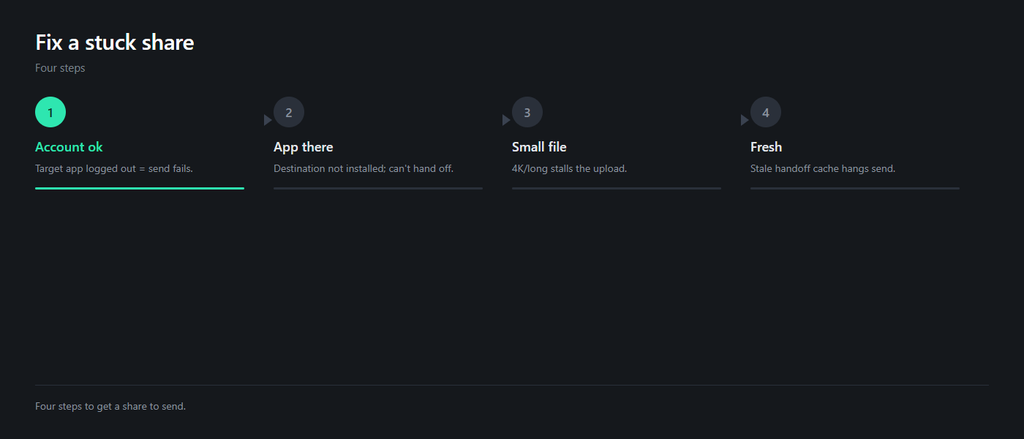
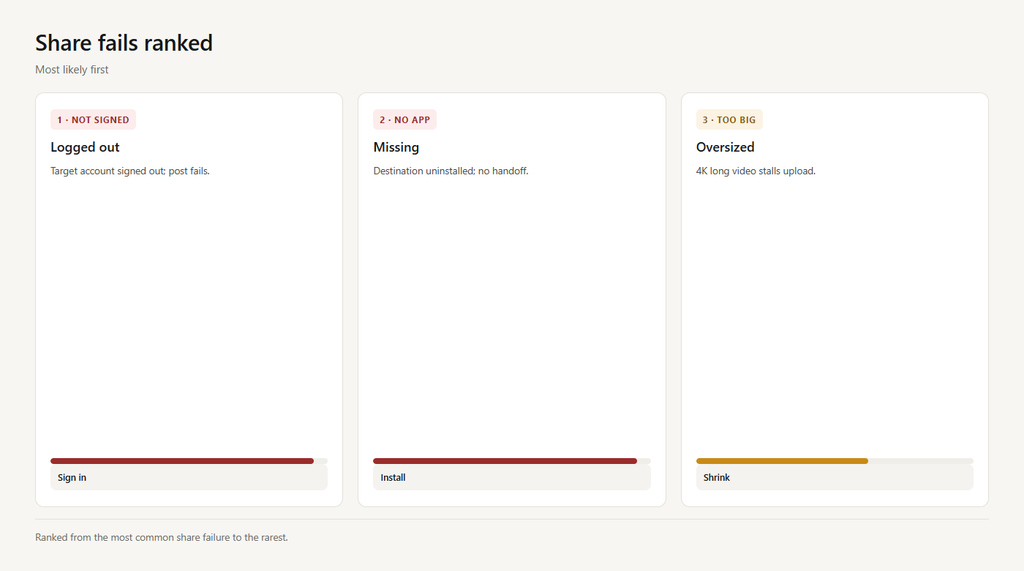
CapCut hands off to the target app’s account. If you’re logged out there, the share sheet opens but the post fails.
- Open the target app (e.g., TikTok) and confirm you’re signed in.
- Return to CapCut and tap Share again.
- The handoff should now complete.
Problem 2: Target app not installed
If the destination app isn’t installed, CapCut can’t find it to share, and the option either errors or does nothing.
- Install the target app from your store.
- Re-open CapCut and try Share.
- If still missing, use ‘Save to device’ then upload manually.
Problem 3: File too large
Some platforms cap upload size or length. A 4K long video can stall the share and never finish.
- Export at 1080p and trim to under the platform limit.
- Re-run Share with the smaller file.
- If it still stalls, save locally and upload in-app.
Problem 4: Cached handoff glitch
A stale share cache can make the sheet open but the send hang. Clearing it forces a fresh handoff.
- Clear cache in CapCut Settings > Clear cache.
- Restart both CapCut and the target app.
- Tap Share again.
Problem 5: Region or policy block
Some share destinations are unavailable in certain regions or for certain account types, so the button is there but the send is rejected.
- Try a different share target to confirm CapCut sharing works.
- Save to device and upload through the target app directly.
- Check the target app’s availability in your region.
FAQ
Where is Share in CapCut?
After export, tap the Share icon and pick a destination (TikTok, Instagram, etc.). CapCut hands the video to that app’s account.
Why won’t CapCut share to TikTok?
You’re logged out of TikTok, TikTok isn’t installed, or the file is too large. Sign in, install it, and export at 1080p.
Why does CapCut share stall halfway?
A large 4K file or a cached handoff glitch. Export smaller, clear cache, and restart both apps.
Can I share from CapCut without the app installed?
No – the handoff needs the target app. Use ‘Save to device’ instead, then upload inside the target app.
Why is the share button greyed out?
Usually no export finished, or the destination is blocked in your region. Export first, then try a different target or save locally.