Slug: capcut-save-to-device-failed · Meta description: ** CapCut save to device failed? Fix exports that won’t save to your phone or computer. Covers storage full, format blocked, permission denied, and more real causes.
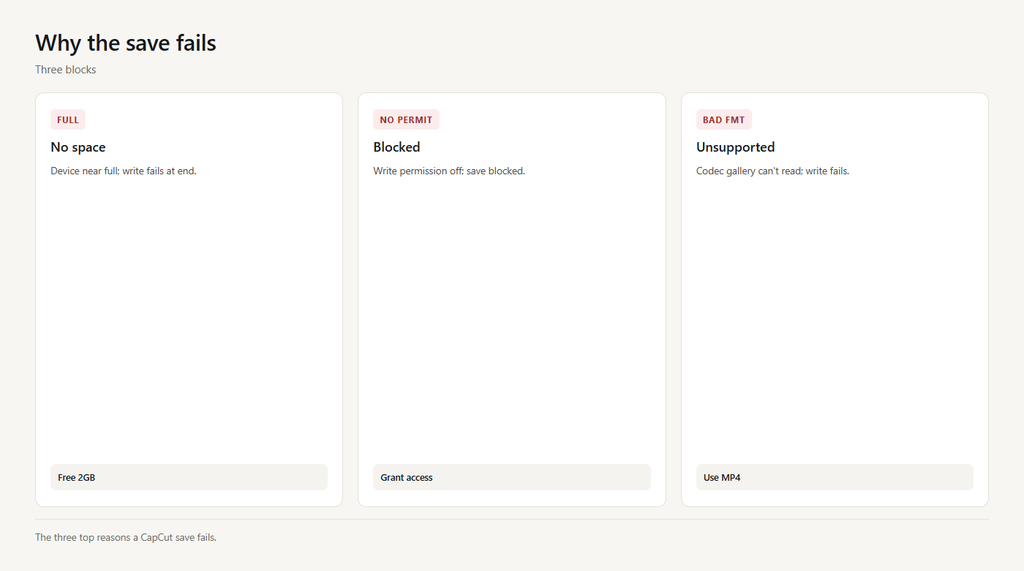
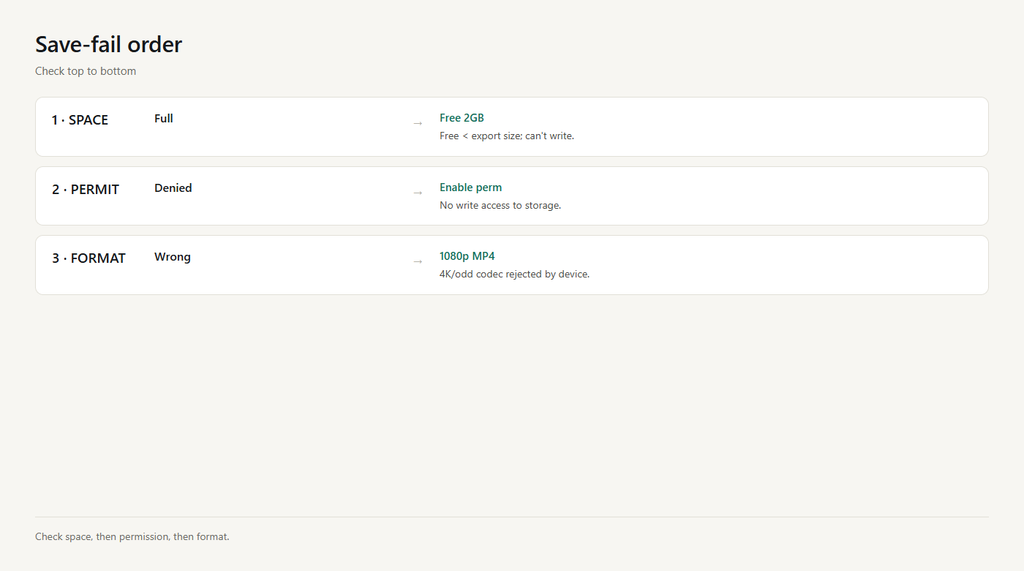
Save to device writes the finished video to local storage. When it fails you get an error or the file never appears. The top causes: storage full, no write permission, unsupported format, a too-long project, or a cached failure. Check in order.
Problem 1: Device storage full
A 1080p export can be hundreds of MB. If your device is near full, CapCut can’t write the file and fails at the end.
- Check free space; free at least 1-2 GB before exporting.
- Delete unused apps or old videos to make room.
- Re-run Save to device.
Problem 2: No write permission
CapCut needs permission to write to Photos/files. If you denied it (or it reset), the save is blocked silently.
- Open device Settings > Apps > CapCut > Permissions.
- Enable Photos/Media/Files (or ‘All files access’ on Android).
- Return to CapCut and save again.
Problem 3: Unsupported format or codec
Some devices reject the chosen format/codec (e.g., a codec the gallery can’t read), so the write fails even though export finished.
- Switch export format to MP4 (H.264), the most compatible.
- Lower resolution to 1080p if 4K isn’t supported.
- Re-export and save.
Problem 4: Project too long or complex
Very long or effects-heavy projects can crash the write on low-RAM devices, leaving no file.
- Split the project into two shorter exports.
- Reduce effects or resolution while saving.
- Save each part, then merge in a second pass.
Problem 5: Stale cache or app glitch
A corrupt cache can fail the save repeatedly even with space and permission.
- Clear cache in CapCut Settings > Clear cache.
- Restart the app and reopen the project.
- Save to device again.
FAQ
Where is Save to device in CapCut?
After editing, tap Export (the up arrow), then choose ‘Save to device’ (phone) or pick a local folder (desktop). The file writes to your gallery or folder.
Why does CapCut say save failed?
Usually storage is full, write permission is off, or the format is unsupported. Free space, enable permissions, and export as MP4.
Why won’t my CapCut video appear in Photos?
The app lacks photo permission, or you saved to a folder the gallery doesn’t scan. Grant permission and check the CapCut folder in Files.
Can I save CapCut videos without watermark?
Yes. Use the free export; the CapCut watermark only appears on some template exports. Uncheck ‘Save with watermark’ if shown, or use a clean template.
Why does a long CapCut export fail to save?
Low memory or project length can crash the write. Split into shorter exports at 1080p, then merge them.